 MapVaultMapVault
Beta Program
We're looking for a small group of early testers to try MapVault, catch bugs, and help us make it better — before we open to everyone.
🎁 Every accepted tester gets MapVault Premium free for 1 year.
About the app
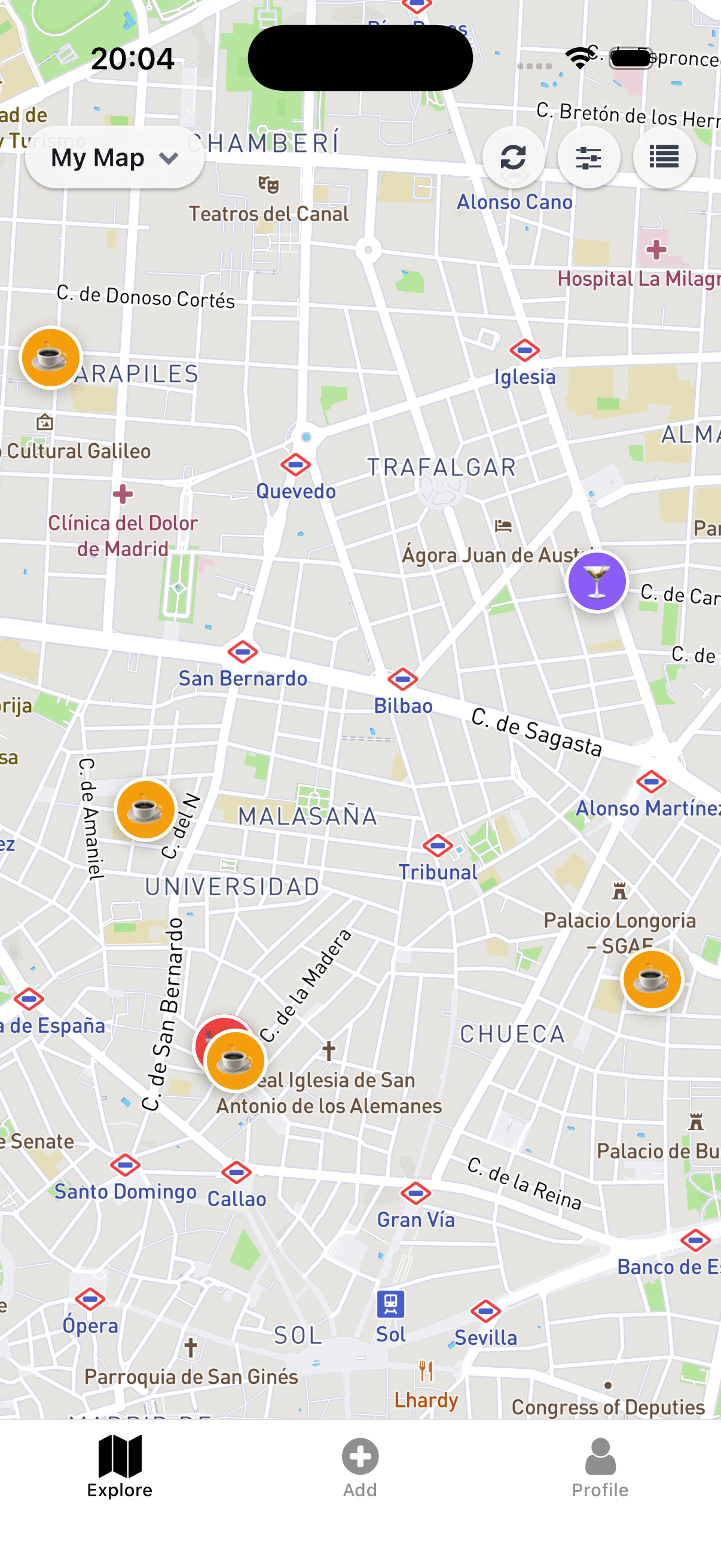
MapVault is a free iOS and Android app for saving, organising, and sharing place recommendations on a map. Tag places with emoji, add personal notes, and filter by what you want — so you always find the right spot when it matters. It's the missing layer between “I'll save that” and actually going there.
The commitment
We want testers who will genuinely use the app. Here's what we ask:
Feature checklist
During your 2 weeks, we'd like you to try each of the following features. Tick them off as you go — we'll ask about each one in the feedback form.
Sign up with email or a social provider
Use the search bar to find a real venue
Add it to your personal map
Apply an emoji tag to a saved place
Add a personal note to a saved place
Toggle the visited status on a place
Use tag filtering to narrow map results
Filter to see only visited or unvisited places
Create a new map and share it with someone (Premium feature — your free year covers this)
Add another user to your shared map
Tap a saved place and open it in your maps app
The process
Fill out the short form below. Tell us your device type and why you're interested.
We'll review applications and send you an acceptance email with your free Premium access.
Use the app for 2 weeks, work through the checklist, then fill out the feedback form we send you.
It takes about 2 minutes to apply. I read every application personally.
— Patrick, founder of MapVault